How Do You Improve Your Website’s SEO?View more
How Do You Customize Your Game Server Website?View more

Online Payment Methods and Commission RatesView more

How to Grow Your Community in Your Game Server and Increase Your Sales?View more
How to host your website secure and fast?View more
When does the game server need web service?View more Your Website Discord Connect to your server. Site roles Discord Manage their corresponds, support tickets and team channels in a common layout.
two addresses of the same community
Add Botu to your server, match the connection code on the panel. Connect members’ accounts and roles; prepare channels, permissions and ticket transactions that the support team will use.
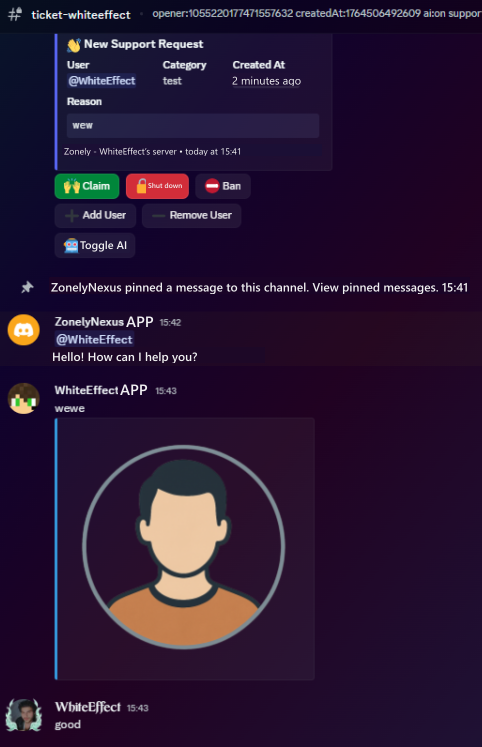
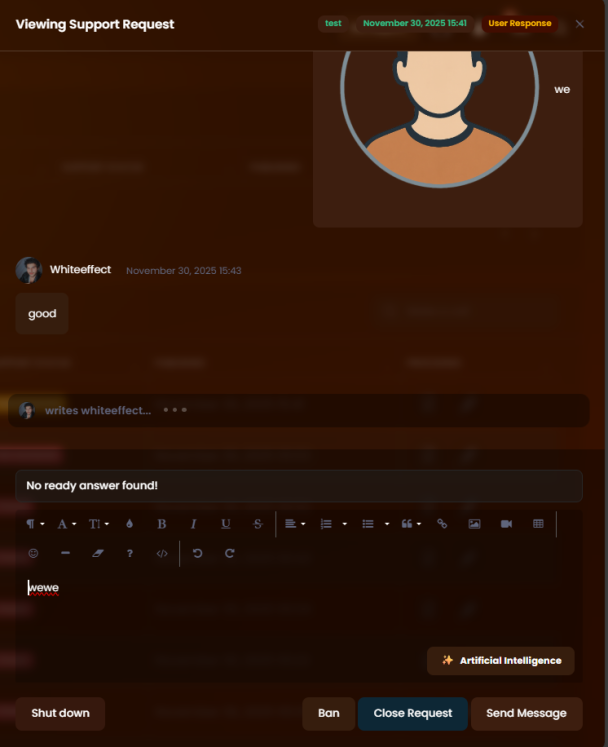
You can get your members’ requests via your website. You can follow the interviews in the ticket structure. You can specify the authorized role and recording channels from the panel.
Depend on support tickets Discord Manage with your server. Prepare Devral, Close and Directions for your team. Follow the ticket logs on your selected log channel.Discover by categories
Panel Discord Open the bot settings and add the bot to your server. Copy the link code in the Link Token field. Discord Use /esle command with your authorized account in . Then check the server connected from the panel, role and channel selections.
Zonely Bot on supported audio channels 7/24 Allows you to broadcast radio. You can start radio with a single command, stop at any time and provide uninterrupted background music by changing the broadcast. So you can always create an active and dynamic atmosphere in your server.
You can determine the language of the bot, the front attachment, the competent role and the role of the automatic member from the panel. You can choose separate channels for input-out, moderation and support records. You can edit your ticket buttons names according to your team’s workflow.
Support requests are stored with the registered ticket structure to perform retrospective review when required by authorized teams. The requests that are closed are sent to the corresponding log channels and archived in accordance with the moderation policies of your server.
First boat connection and Discord Prepare the account mapping plugin. Role on Roller screen Discord Open the tab and select the opposite. Set the user name syncing and matched account condition here. Member Discord The spouse of the account must be appropriate for the role of the bot and the role ranking.
“The support part is very fast and they are interested in everything necessary.”
“A software company that puts real care into its work and listens to feedback.”
Store, games and conversations.
Customize your website, track sales and reach your players. Bring the tools you use to manage your community together in one dashboard.
Create products and categories. Set prices, stock and delivery options, then manage sales on your own website.
ExploreConnect products to server commands. Use supported game integrations to deliver ranks, items and packages automatically after an order.
ExploreChoose a ready-made theme and adjust colors, fonts, menus and pages to your brand. Preview your changes before publishing.
ExploreAnswer members’ questions, follow conversations and share support requests with your team. Keep help articles in one accessible place.
ExploreLink website memberships with Discord accounts. Manage your website and community together with role connections and notifications.
ExploreReview orders, payments and user activity. Compare products and sales periods to see how your store is doing.
ExploreSet role permissions for support, content and administration. Give each team member the access they need and follow changes through activity records.
ExploreEdit theme files in the template editor. Access your data, make backups and develop your site with file and database tools.
ExploreAsk questions, share your experience and send us your ideas. Stay connected with the Zonely community as you build your project.
“I give it 10 out of 10. Even other software doesn’t offer this many features.”